# Insights & Metrics
### Where to find Insights
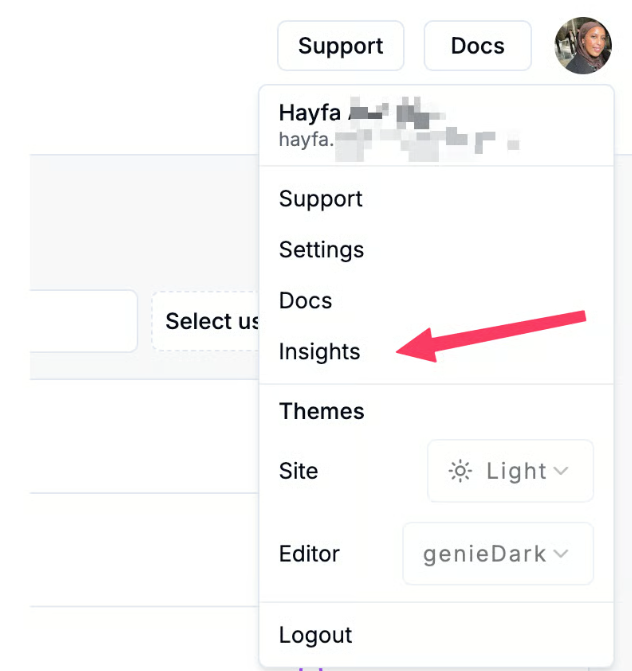
You can access **Insights** from two places on the Cosine platform:
1. **Top Navigation Bar -** Select **Insights** in the main navigation to open the team and project dashboards.
2. **User Menu -** Open your profile menu in the top right corner and select **Insights** to access your personal dashboard.
### Overview
At the top of the dashboard, you'll see **Developer Hours Saved** - *an estimate of the amount time it would have taken a human developer to do the tasks Cosine has done for you.* This reflects the measurable impact of Cosine on developer productivity.
The dashboard aggregates activity across your team and provides flexibility in how you view it:
* **Snapshot of overall team activity** across all projects.
* **Project-specific insights** for drilling down into individual metrics.
### Filters & Exporting
Before diving into specific metrics, you can tailor the dashboard to your needs:
* **Timeframe Selector -** adjust the date range for all charts (default: All Time).
* **User Filter -** focus on a specific team member or subset of your team.
* **Project Filter -** focus on project-level insights.
* **CSV Export -** download raw data from any chart fro analysis.
*We currently surface the following insights in the dashboard:*
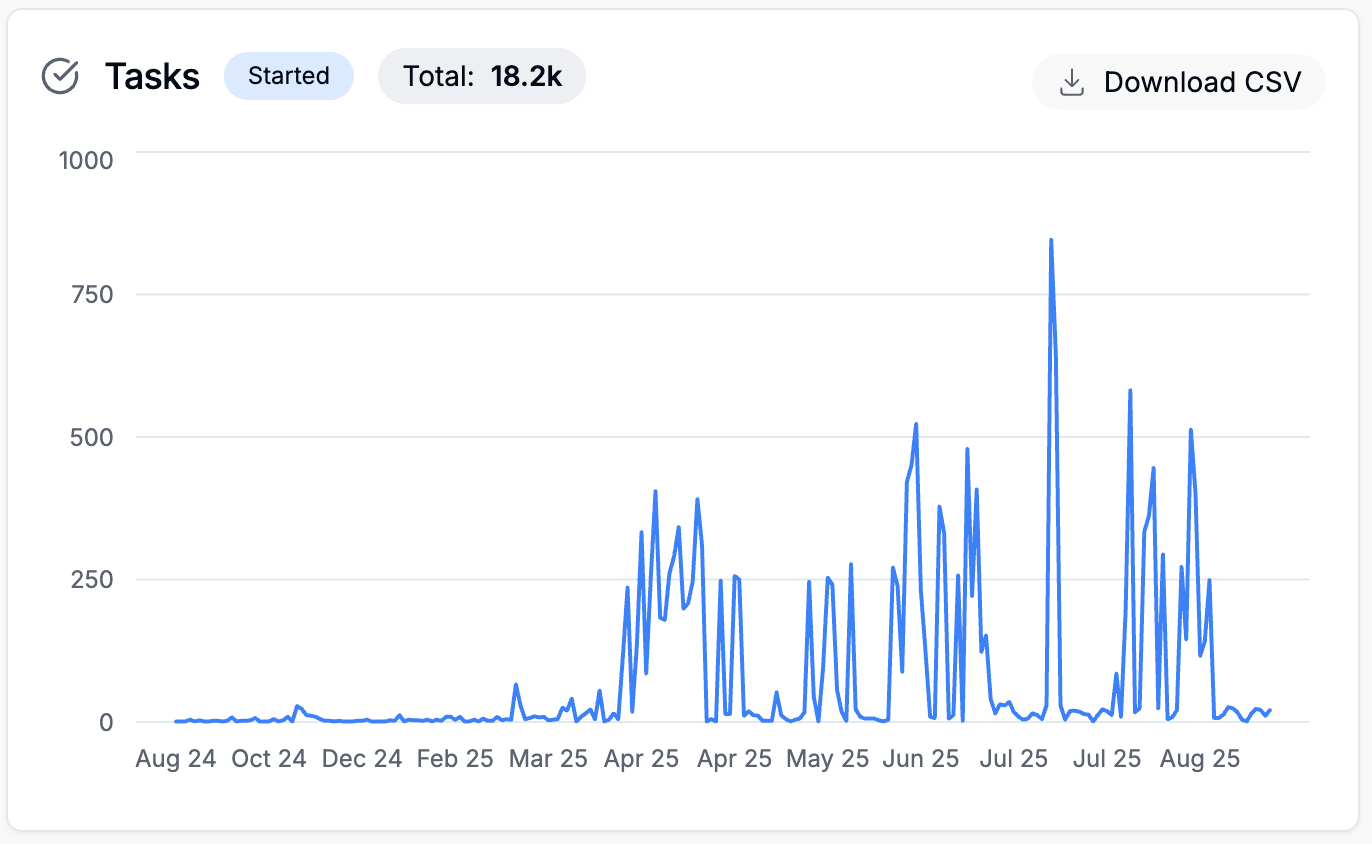
### Tasks
**Definition:** A Task represents a unit of work created or started through Cosine.
**Chart:** Displays the volume of tasks started over time.
**Metrics:** The **Total** count reflects all tasks initiated within the selected timeframe.
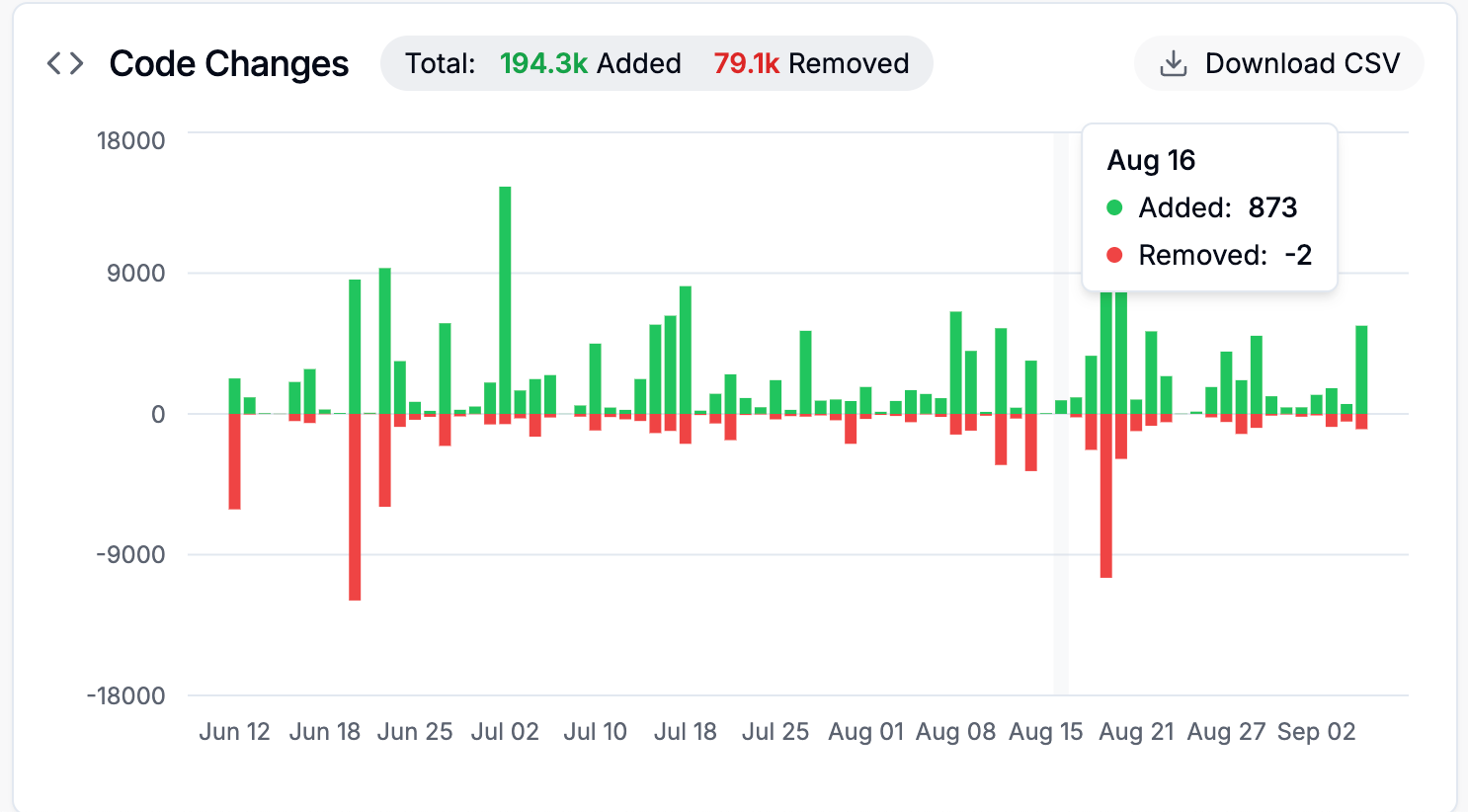
### Code Changes
**Definition:** Lines of code added or removed with Cosine.
**Chart:** Green bars represent lines added; red bars represent lines removed.
**Metrics:** The **Total** aggregates all additions and removals.
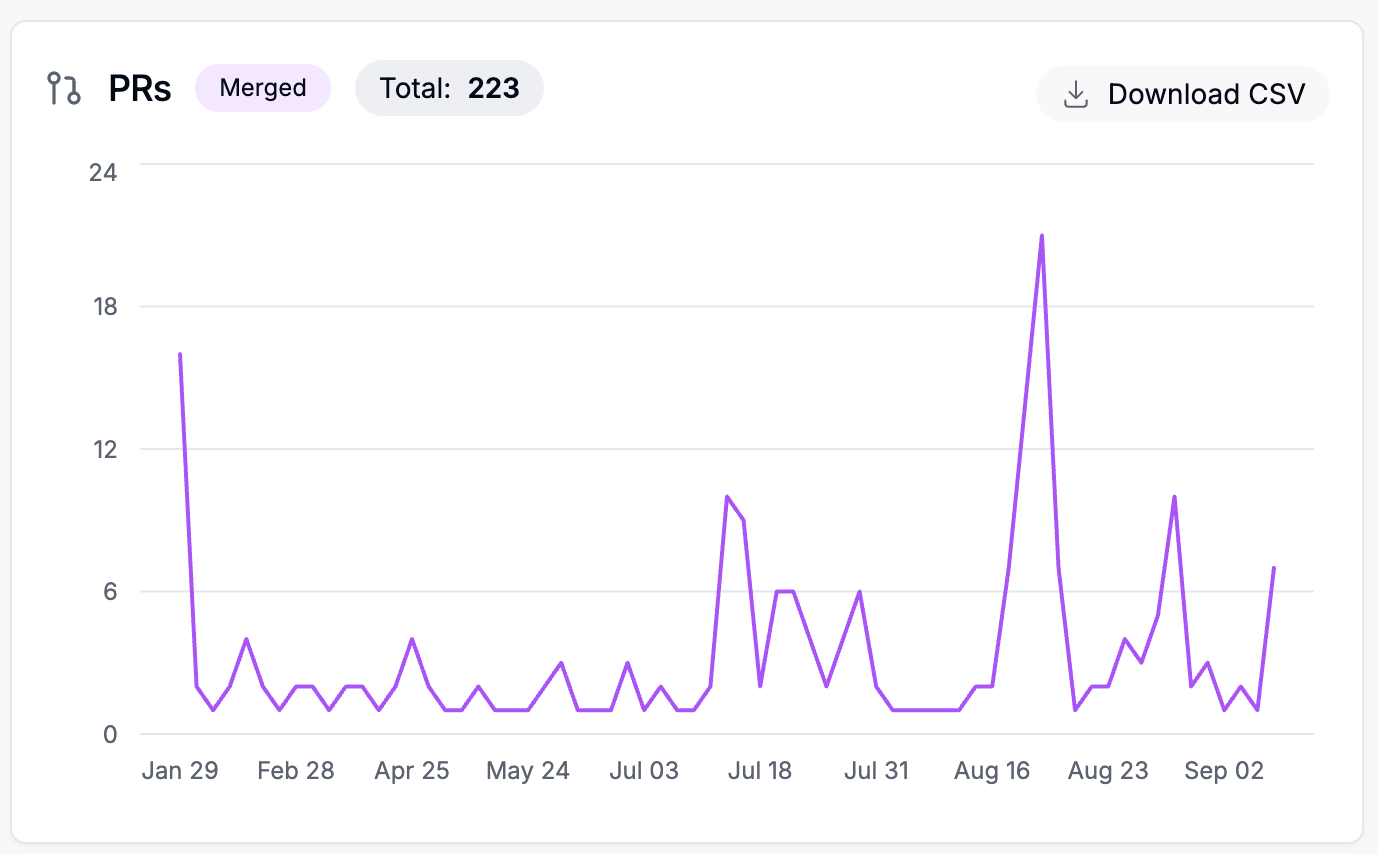
### Pull Requests (PRs)
**Definition:** : Pull Requests created and successfully merged with Cosine.
**Chart:** Shows the number of merged PRs over time.
**Metrics:** The **Total** count represents all PRs merged through Cosine in the selected timeframe.
**Use Case:** Gives visibility into how much of your development output is powered by Cosine across your codebase.
### Genie Requests
**Definition:** Requests made to **Genie,** our proprietary software engineering model powering Cosine.
**Chart:** Displays the number of Genie requests over time.
**Metrics:** The **Total** reflects the overall volume of queries and tasks handled.
## User Dashboard
When you access **Insights** from the user menu, you'll see your **personal dashboard.** This view shows the same charts and metrics but scoped specifically to your across **all your teams and projects.**
The only available filter in this view is the **date range selector.**